



Sales now move faster than ever, and every moment counts. Sales representatives are being asked to juggle leads, take customer calls, track conversations and update CRM records all at once. Switching tools twice means that you waste your time and risk losing data, that’s not good for either of you.
That’s where Salesforce CTI (Computer Telephony Integration) changes the game. Using your telephony system such as PBX or VoIP with Salesforce, you have the possibility to save manual effort, such as removing the need to dial from a physical telephone or mobile device, by automatically trigger calling workflows, perform your call activities while automatically logging your call activities and have your productivity go through the roof.
In this blog post, we will discuss how Salesforce CTI integration works and how it can help your organization simplify communications, enhance efficiency, and enable sales teams to close more deals.
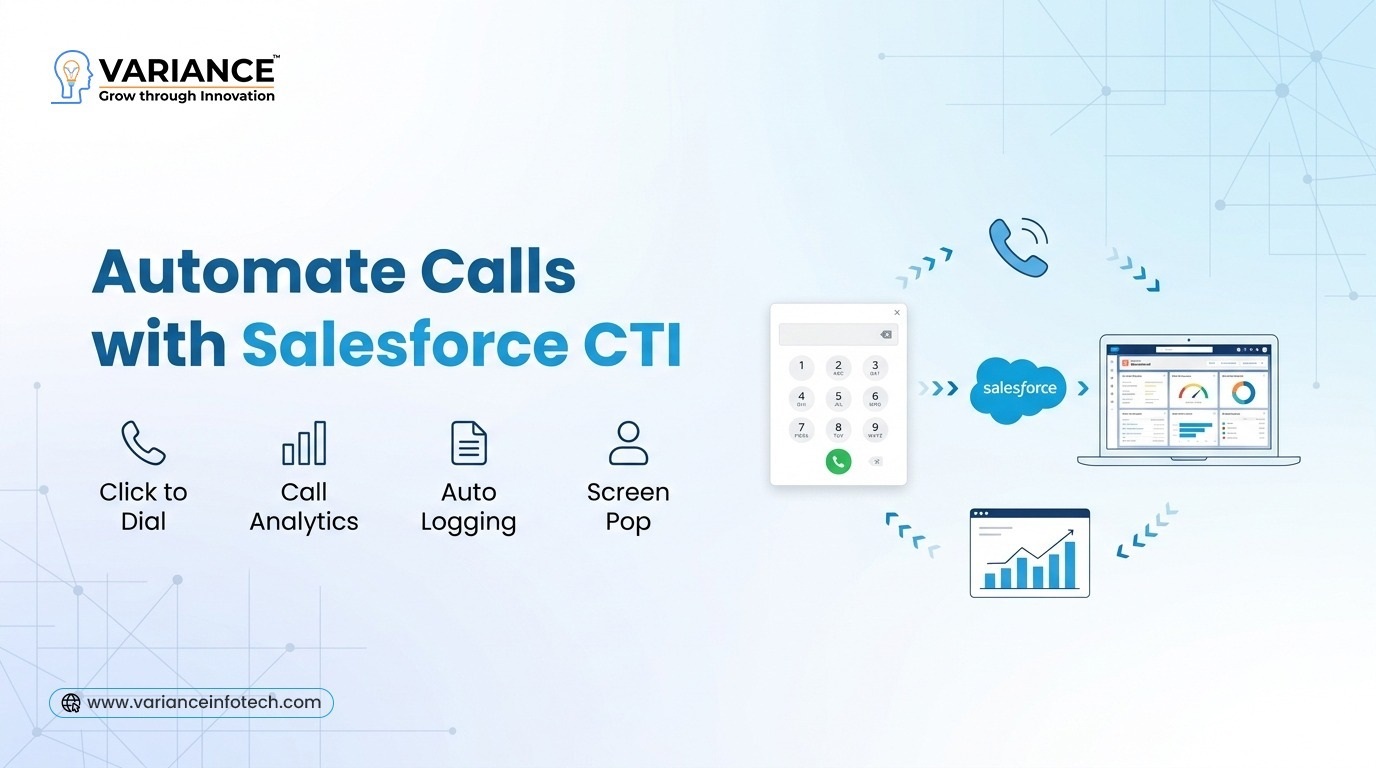
What is Salesforce CTI Integration?
Salesforce CTI enables direct connection between your phone system and salesforce crm platform. This enables sales and customer support teams to work with calls related to their jobs in the Salesforce application instead of having to open third party applications.
With CTI integration, users can:
- Make and receive calls from within Salesforce
- Log call activities and details automatically
- Access customer data on calls
- Utilize click-to-dial
- Monitor call analytics and performance
The integration is usually handled via APIs and telephony connectors, and a softphone or dialer is embedded within Salesforce, so that communication and customer data are housed within a single system.
Key Features of Salesforce CTI Integration:
1. Click-to-Dial for Faster Outreach:
Click-to-dial is probably the best feature a Salesforce CTI integration can provide. Instead of dialing numbers manually on a phone, sales reps can click on a phone number within Salesforce to start a call.
This automation removes manual mistakes and additionally allows you to make outbound calls much faster. Now sales reps can connect with more prospects in less time, and that has a direct effect on productivity and converting those leads.
For companies conducting large scale outbound campaigns, this feature can boost daily call volumes significantly.
2. Automatic Call Logging:
Manually logging calls is one of the biggest time consuming for sales teams. After every call, reps often have to update CRM records, add notes, and log the results of the call.
Salesforce CTI integration enables you to automate this process.
The system automatically captures information such as the following:
- Call duration
- Call timestamps
- Caller details
- Call outcomes
- Notes and recordings
This guarantees precision in the records and at the same time avoids manual data entry. With the ability to record calls, automatic call logging also provides organizations with a complete communication log for every customer interaction.
3. Screen Pop for Instant Customer Context:
When a customer call, their information can be automatically displayed to the agent on the screen using Salesforce CTI. This feature is called screen pop.
Rather than being asked the same questions several times, salespeople can see straight away:
- Customer Profile
- Previous Interactions
- Purchase History
- Open Support Cases
- Past Communications.
With this immediate visibility in real-time, teams can now have faster more personalized conversations and a better customer experience.
4. Intelligent Call Routing:
CTI integration enables the system to automatically route the call to the best suitable agent as per the predefined rules like:
- Customer priority
- Sales Territory
- Agent’s availability
- Language preferences
That way, they are assured of being connected to the right person first time, which increases speed to answer and the quality of service overall.
How Salesforce CTI Improves Sales Productivity:
Reduced Administrative Work:
Repetitive tasks such as dialing numbers and logging call details can be eliminated with automation. This means that sales teams can spend more time on meaningful conversations with prospects and less time on administrative work.
More Calls in Less Time:
Salespeople can boost their daily call count with click-to-dial and auto dialer functionalities. Teams can double the number of leads they connect with using power dialing.
Better Data Accuracy:
Automatic call logging allows you to ensure that all interactions have been logged in Salesforce. This makes a trustworthy database for later follow-ups and reporting.
Improved Customer Experience:
Having information of the customer during a call enables the agent to provide a faster and more personalized response to the customer, leading to better rapport with prospects and customers.
Real-Time Analytics and Reporting:
Managers are able to monitor the following call performance metrics:
- Call volumes
- Average call duration
- Response times
- Agent performance
These insights allow organizations to maximize sales strategies and enhance team productivity.
Business Benefits of Salesforce Telephony Integration:
Benefits of Salesforce CTI integration include the following:
Unified Communication:
Calls, notes, recordings, activities — all your customer communication is stored in a single CRM solution.
Higher Sales Output:
Sales teams have more time to focus on selling and less time spent on manual tasks.
Quick Customer Response:
These agents have immediate access to customer information and can answer queries more quickly and accurately.
Enhanced Teamwork:
Sales, service, and support teams now have access to the same customer information, knowing when they are talking to the same customers and are better able to collaborate.
Making the Decision Based on the Data:
Call data and analytics allow leaders to understand trends, enhance processes and improve overall performance.
Why Businesses Are Adopting Salesforce CTI Integration:
With the businesse growth, keeping communication flow among various tools were more and more complicate. Salesforce CTI Integration makes this process easy by integrating Telephony with CRM on a single platform.
Businesses that adopt CTI integration see:
- Higher sales efficiency
- Superior customer engagement
- Greater data accuracy
- Better team productivity
In essence, it revolutionizes the way sales teams communicate with prospects and the way they handle relationships.
Final Thoughts:
The Salesforce CTI integration is not just a telephony solution—it’s an essential productivity tool for modern sales teams. By automating calling, logging activities automatically, and delivering real-time customer insights, companies can optimize operations and increase sales effectiveness.
With click-to-dial, screen pop, intelligent routing and logging automation, Salesforce CTI enables teams to work smarter, close more deals quicker and offer better customer experiences.
If your organization is phone-centric, connecting your telephony system to Salesforce is likely to be the most transformative enhancement to your sales and support processes.
Do You Need more information?
For any further information / query regarding Technology, please email us at info@varianceinfotech.in
OR call us on +1 630 534 0223 / +91-7016851729, Alternately you can request for information by filling up Contact Us

 Please wait...
Leave a Reply